
Leave Management
Leave Dashboard
Employee Leave Analytics
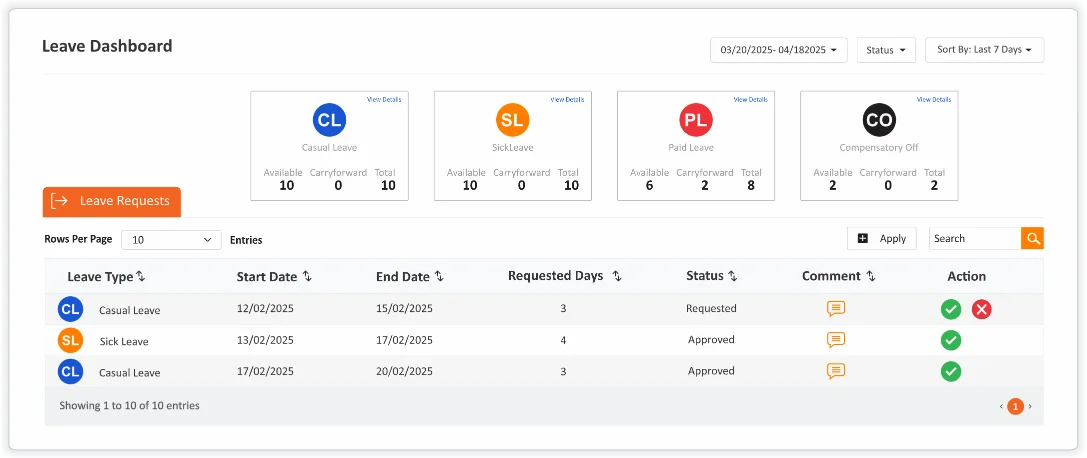
Information about Leave Summary, Leave Calendar and Leave approval. HR can check and entitle leaves for any employee.

Employee Leave Balance
Understanding Your Leave Balances
Employee Leave Balance provides employees with real-time visibility of available, used and upcoming leaves. This centralized view ensures transparency, improves leave planning and supports accurate payroll and compliance management. Employees always know how many days they can take off—no emails, no spreadsheets, no guesswork.
Monthly Report
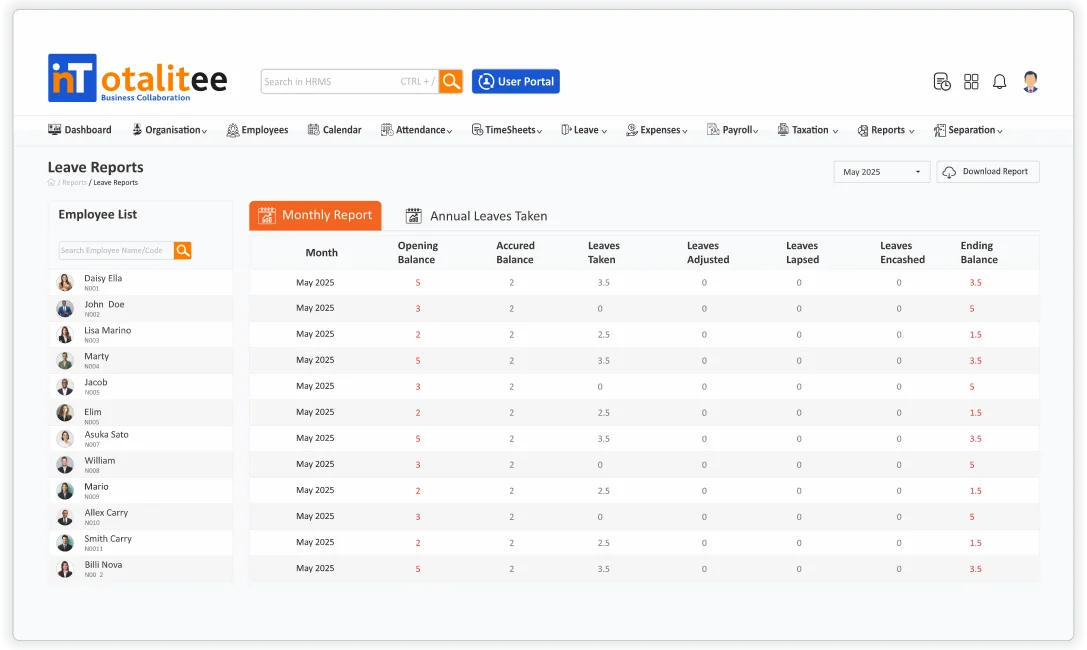
Monthly Leave Report for Payroll
Monthly Leave Report provides a comprehensive view of employee leave activity over a selected month. It allows HR teams, managers, and leadership to monitor leave trends, track absences, ensure policy compliance, and make data-driven decisions. With real-time insights and export-ready formats, the report supports payroll processing, resource planning, and workforce visibility across the organization.
Annual Leaves Taken
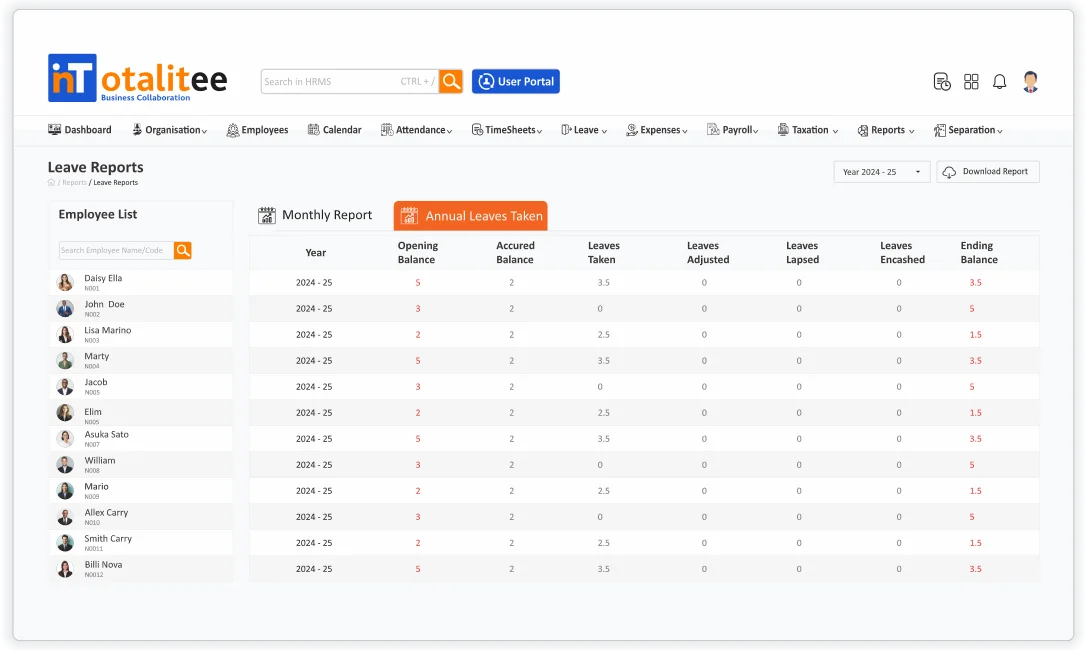
Annual Leave Report
Annual Leave Report in inTotalitee offers a comprehensive year-long summary of each employee’s leave activity. It is a vital tool for HR departments, managers and finance teams to monitor leave utilization, assess trends, ensure policy compliance and support strategic planning. The report consolidates data from all leave types and presents it in a clean, easy-to-analyze format for the entire calendar or fiscal year.
Frequently Asked Questions
What is the Leave Dashboard in HRMS?
The Leave Dashboard is a centralized interface that provides real-time visibility into leave-related information such as balances, pending requests, team availability, and leave trends — all in one place.
What information can employees see on their Leave Dashboard?
Employees typically see:
* Current leave balances by leave type
* Applied, approved, or rejected leave requests
* Leave calendar showing their own and team leaves
* Upcoming holidays and weekly offs
* Status of pending requests and approvals
Can I apply for leave directly from the dashboard?
Absolutely. The Leave Dashboard usually includes a quick link or button to apply for leave, view balances, and track application status — all in one click.
