
Time & Attendance
User Check In/Out
Marking Attendance - No Register and Signature
InTotalitee provides multiple options to the users to mark their attendance.

Multiple Attendance Channels
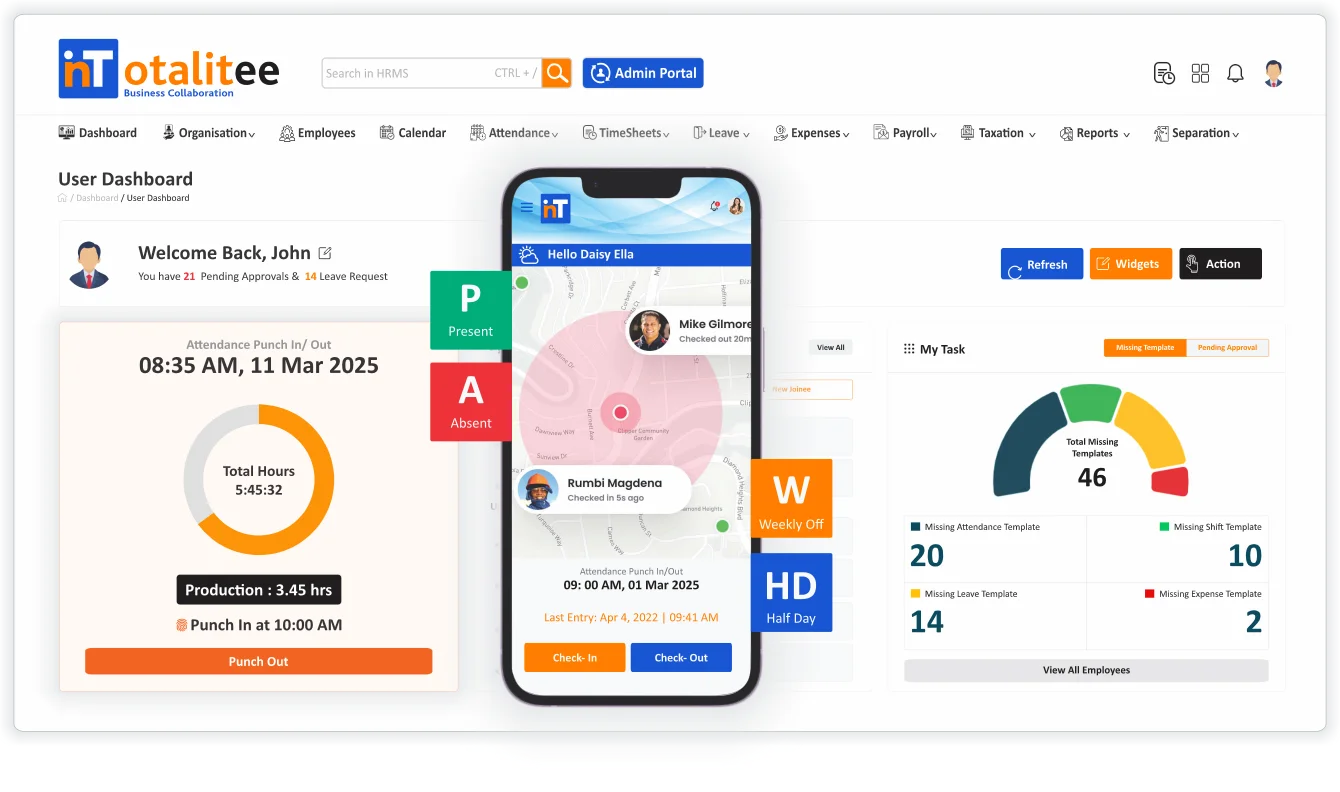
Secured Check-In/ Check-Out from Web & Mobile App
With Secured Check-In/Check-Out, inTotalitee allows employees to mark their attendance directly from both web and mobile platforms, with built-in security, validations, and data synchronization. Designed for hybrid, remote and on-site teams, this feature ensures reliable, tamper-proof attendance logging—anytime, anywhere. By combining ease of use with robust security measures such as geo-verification and real-time data sync, organizations can confidently manage attendance while giving employees flexible, self-service access.
" Monitoring your workforce's time and attendance is crucial to improving business performance and productivity. "
Core Features
Unleash Your Potential: Core Features That Transform Your Experience
With Multiple Channels for Attendance Punching, inTotalitee gives employees the flexibility to record their attendance using a variety of secure and convenient methods. Whether in the office, on the move or working remotely, employees can punch in and out with confidence—while HR teams gain accurate, real-time attendance data across the organization.
Web CheckIn/CheckOut
Desktop Time Clock Attendance
Login to the web portal and mark your attendance from anywhere.
Mobile Attendance
Employee Attendance from Mobile App
At some remote location – No laptop with you – Marking attendance from Mobile App is an essential feature for today’s businesses.
Attendance From Biometric Device
Easy Integration with Biometric Device at Your Premise
InTotalitee easily integrates with many Biometric Attendance Devices available in the market today, including BioMax and ESSL among others.
Fingerprint/Facial Recognition for CheckIn/Out
Take a Selfie to CheckIn
Marking attendance to InTotalitee system is possible from the biometric settings of the smart phone if configured.
Frequently Asked Questions
What is the Check-In/Check-Out feature in HRMS?
The Check-In/Check-Out feature allows employees to record their work start and end times, either manually or automatically, through the HRMS platform — helping track attendance, working hours, and productivity accurately.
Can remote employees check in from home or field locations?
Yes. With mobile-based check-ins, remote or field employees can log their attendance from any location, especially when paired with Geo Location Tagging or IP restrictions.
Is there a time restriction for check-in/check-out?
Yes. Admins can set rules for working hours, grace periods, shift timings, and cut-off times to ensure compliance and discipline.
What happens if an employee forgets to check in or out?
Employees can submit a regularization request with a reason and proposed time. Managers or HR can review and approve or reject the request based on policy.

Ready to try inTotalitee
With tools to make every part of your process more human and a support team excited to help you getting started with a growth engine for your employees has never been easier