
Time & Attendance
Geo Location Tagging
GPS Attendance Tracking System
inTotalitee provides GPS and Geofencing based Time and Attendance tracking.

Mobile Attendance & Geo Fencing
Employee Check-In/Check-Out with Geo Fencing on Mobile App
The Geo-Fenced Check-In/Check-Out feature in inTotalitee Mobile App enables secure and location-verified attendance tracking for employees—especially valuable for remote teams, field staff or multi-site operations. With GPS integration and customizable geo-fencing rules, HRMS ensures that employees can only mark their attendance when they are physically present within the designated work zone.
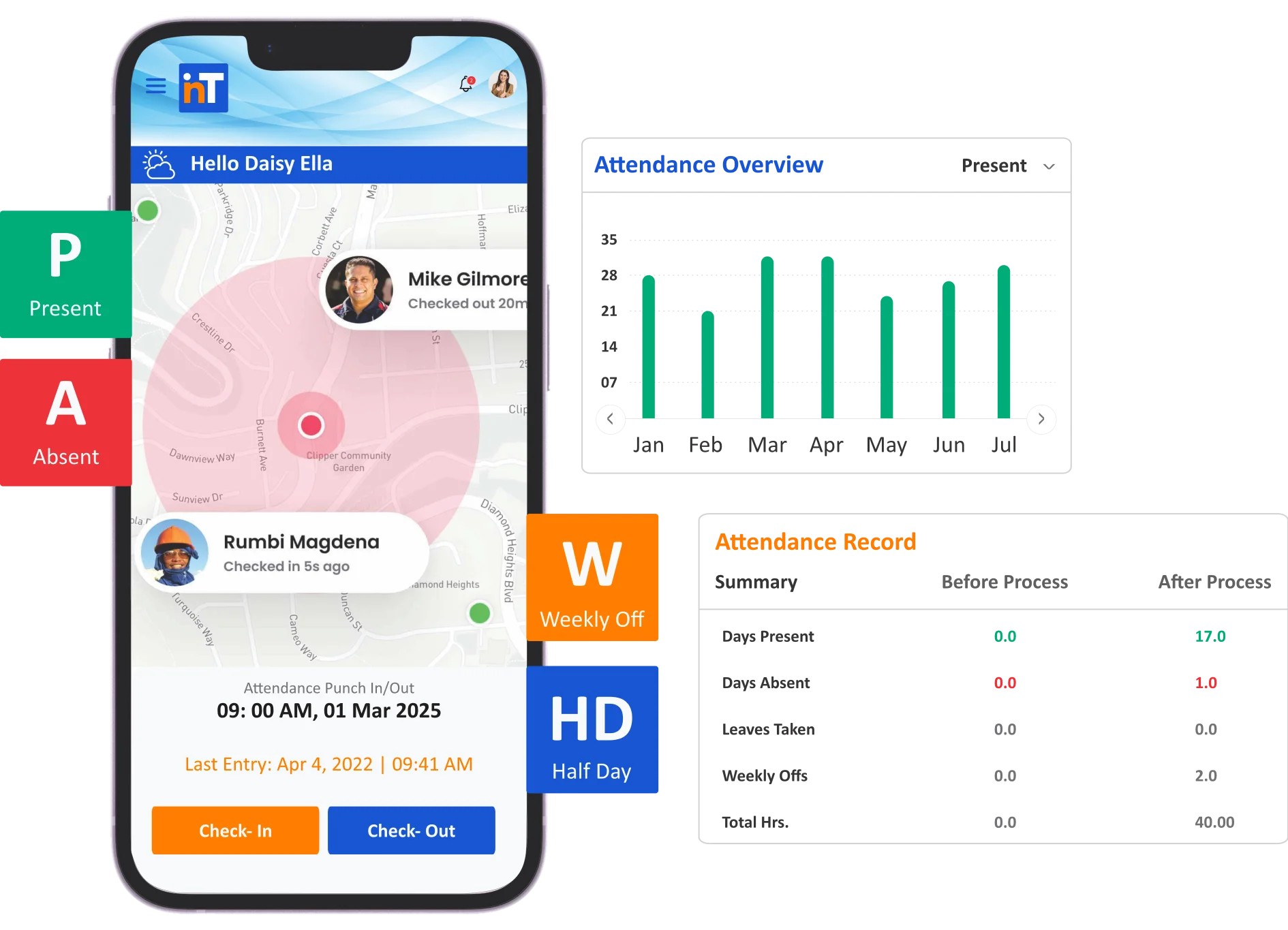
" Intotalitee gives you a bird's eye view of all your employee’s location status on a real-time basis on a single dashboard. "
Geo Location Tagging
Unleash Your Potential: Core Features That Transform Your Experience
Geographical positioning in inTotalitee promotes accountability, eliminates false check-ins and gives managers real-time visibility into workforce movement and presence.
Geo Fencing
Restrict Check In/Out Location
Geo fencing creates a virtual geographic boundary around an area by means of GPS. The organization can restrict their users from marking attendance outside this boundary.
Location Tagging
Capture Check In/Out Location
Can capture and view the attendance marking location even if not geo fenced.
Verify Location
CheckIn/Out Location Monitoring
View the live status of your employees who performed Check-In / Check-Out from various locations.
Powerful GPS Tracking System
A Powerful Tracking, Monitoring & Reporting System Along With Convenient Tools & Workflows to Accelerate Your Field Operations.
App Features
Frequently Asked Questions
What is Geo Location Tagging in HRMS?
Geo Location Tagging is a feature that captures the geographic location of employees when they clock in or out using a mobile device. It helps verify employee presence and supports attendance tracking for remote, field, or hybrid workers.
How does Geo Tagging work in HRMS?
When an employee marks attendance via the HRMS mobile app, the system records their GPS coordinates along with the time. This ensures the check-in or check-out happens from an approved or expected location.
Do employees need to enable GPS on their devices?
Yes. To use Geo Tagging, employees must allow the HRMS app to access their location services. If GPS is disabled, the system may prevent attendance logging or notify the user to enable it.
Can the system restrict attendance to specific locations?
Yes. HRMS platforms often allow Geo-Fencing, which restricts attendance marking to defined physical locations such as office premises, project sites, or client locations.

Ready to try inTotalitee
With tools to make every part of your process more human and a support team excited to help you getting started with a growth engine for your employees has never been easier